World Cup 2026 Analytics Explorer
Explore FIFA World Cup 2026 groups, bracket, and match odds with custom analytics reports built on Luzmo Flex and ACK.
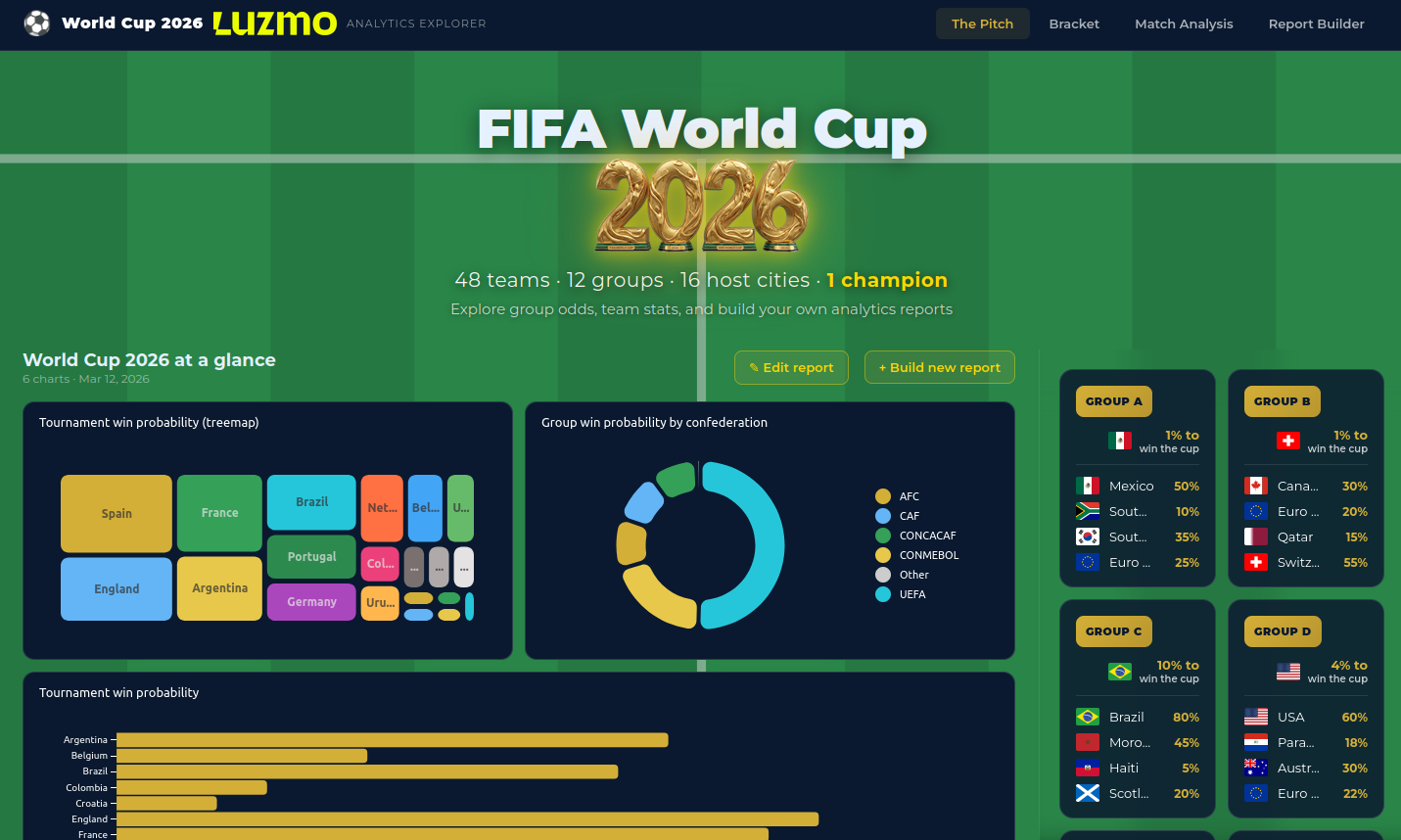
Luzmo Flex showcase: World Cup 2026 Analytics Explorer
An interactive Vue 3 app for FIFA World Cup 2026: group odds, knockout bracket simulation, match analysis, and custom report building. Uses the Luzmo Analytics Components Kit (ACK) for chart configuration and @luzmo/embed for rendering.
Features
- The Pitch — Homepage with hero, featured report carousel, 12 group cards, mini bracket preview, and tournament favorites.
- Group Explorer — Per-group view with team badges, advancement probabilities, and an ACK-powered chart builder.
- Bracket — Full knockout bracket (R32 → Final) with prediction or “My Bracket” mode; group rankings and third-place order; save/load to cookie; copy-to-fantasy.
- Match Analysis — Pick two teams, see head-to-head win probability and “how they could meet” (group stage or knockout paths with highlighted country, position, and group).
- Report Builder — Drag-and-drop dashboard grid (Gridstack), ACK chart builder (type, slots, options, filters), save/load reports and charts to localStorage; tag charts as group or match templates for reuse on Group Explorer and Match Analysis.
Tech Stack
- Vue 3 — Composition API,
<script setup>, TypeScript - Vite — Build and dev server
- Vue Router 4 — Lazy-loaded views
- @luzmo/analytics-components-kit — Chart configuration UI (
luzmo-data-field-panel,luzmo-item-slot-drop-panel,luzmo-item-option-panel,luzmo-filters), design tokens - @luzmo/embed — Chart rendering (
luzmo-embed-viz-item) - Gridstack — Report builder dashboard layout
- flag-icons — Country flags
Getting Started
Create a
.envfile (see.env.example). Embed key and token are not required when your datasets are publicly shared or when you only need to seed built-in charts and reports; you only need dataset IDs and column IDs. For private datasets you need an embedding API key and token as described in Luzmo’s dashboard embedding guide; the token must have “use” rights over the datasets you reference below.Minimum (e.g. public datasets):
VITE_LUZMO_APP_SERVER=https://app.luzmo.com
VITE_LUZMO_API_HOST=https://api.luzmo.com
VITE_LUZMO_DATASET_GROUPS_ODDS=your-dataset-id
VITE_LUZMO_DATASET_TEAM_PROFILES=your-dataset-id
VITE_LUZMO_DATASET_HISTORICAL=your-dataset-id
Set all six
VITE_LUZMO_COLUMN_*variables (see.env.example) so the built-in report dashboards and Pitch fallback charts can be seeded without calling the Luzmo API from the browser.For private datasets, add your Luzmo embedding API key and token as described in the dashboard embedding guide; the token must have "use" rights over the datasets. Set
VITE_LUZMO_EMBED_KEYandVITE_LUZMO_EMBED_TOKENin.env.Install and run:
npm install
npm run dev
The dev server runs at http://localhost:5173.
Upload the CSV files from the repo (if you use the provided data) to your Luzmo account and point the dataset IDs in
.envto them:- Groups, teams, and win probabilities
- Team profiles and historical World Cup data
Scripts
npm run dev— Start dev servernpm run build— Type-check and production buildnpm run preview— Preview production buildnpm run lint/npm run lint:fix— ESLintnpm run format/npm run format:check— Prettiernpm run test/npm run test:run— Vitest unit tests
Build
npm run build
npm run preview
Data Sources
- Group and team probabilities from prediction markets (e.g. Oddpool, Feb 2026)
- Historical World Cup stats from jfjelstul/worldcup
- FIFA rankings and confederation data
Good decisions start with actionable insights.
Take your data products to the next level with Luzmo.