DevOps Command
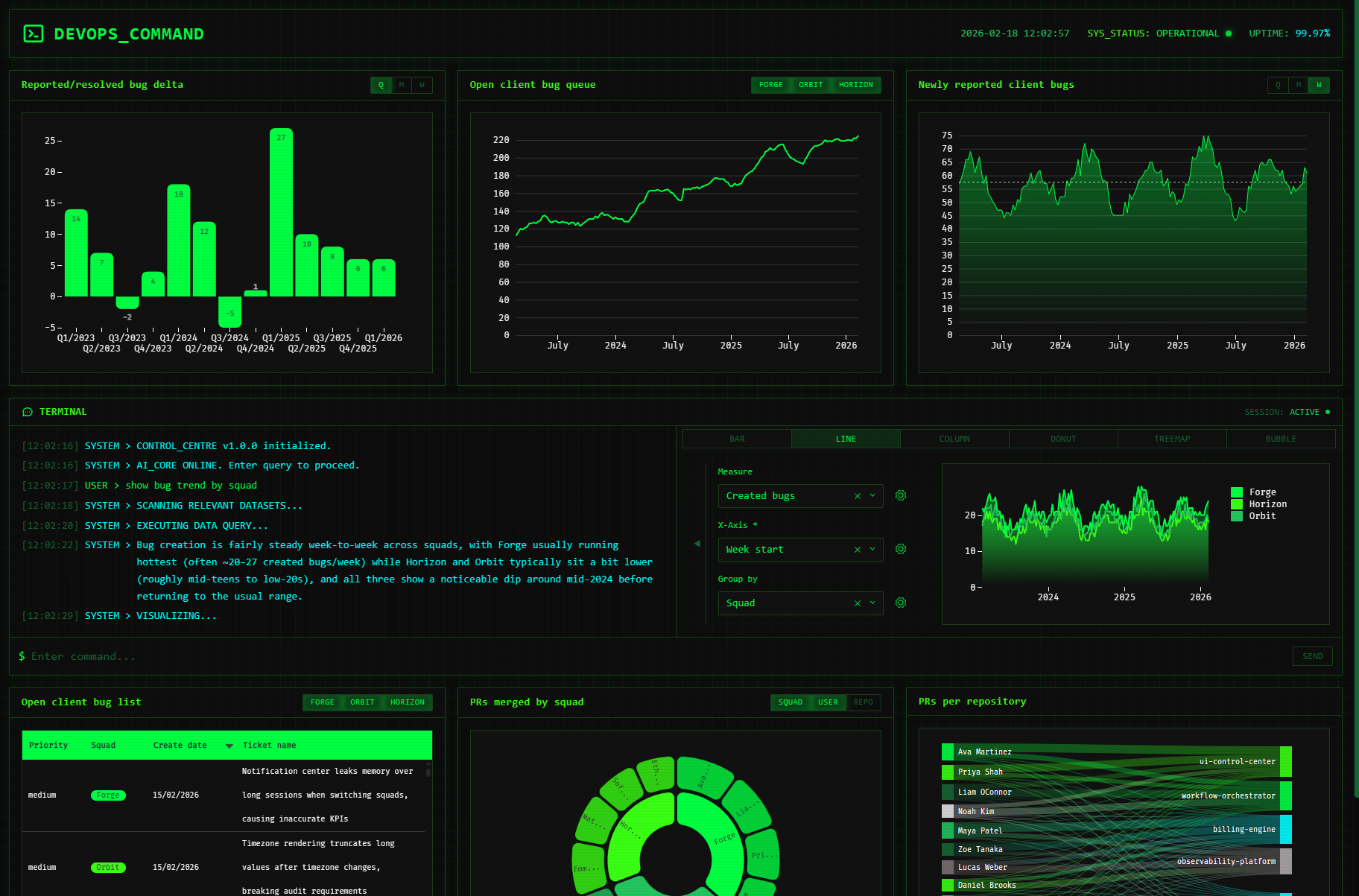
Analytics for Engineering teams in a cyber-themed command centre: monitor bug queues and PR health, with on-demand chart generation.
Created by Luzmo.
Angular
ACK
AI
Node.js
DevOps Command
Give engineering teams a real-time command centre for their bug backlog and PR health — complete with a terminal-style AI assistant that generates charts on demand.
Features
- Live Luzmo Flex charts, tracking bug trends and PR merge velocity
- Slice and dice charts by date granularity, squad, dev, or repository with one click
- Conversational analytics in terminal style, powered by Luzmo IQ — ask a question, get an answer with a chart and optionally configure it further
- Secure embed credential generation via a lightweight Node.js backend
Getting started
Prerequisites
- Node.js
v22.13.0(see.nvmrc) - npm
- A Luzmo account with API credentials. This demo includes public dataset IDs out of the box.
Install dependencies
From the repository root:
npm run install-all
Configure the backend
- Copy
backend/.env.exampletobackend/.env. - Fill in your Luzmo credentials. The default dataset IDs are public and can be reused as-is.
LUZMO_API_KEY=<your Luzmo API key>
LUZMO_API_TOKEN=<your Luzmo API token>
LUZMO_DATASET_IDS=67cf3dfc-a718-4792-bbdf-b939c2c63f7b,3f4834f1-f7a5-46e4-a180-b21b08be9bf3,ec1582eb-96c7-489c-b233-9bf90663725f
LUZMO_API_URL=https://api.luzmo.com
Run the app
From the repository root:
npm start
This starts:
- Backend on
http://localhost:3101(embed endpoint:POST /api/embed) - Frontend on
http://localhost:4200
Repository structure
frontend/: Angular applicationbackend/: Lightweight Node.js/Express API to generate embed credentials
Demo data
- This demo works out of the box with the default (public) dataset IDs in
backend/.env.exampleand the matching IDs infrontend/src/app/luzmo-constants.ts. You do not need to upload any CSVs to run the app locally. - Demo data CSVs live in
backend/data/(useful if you want to inspect/regenerate/customize the data):backend/data/bug_tickets_weekly.csvbackend/data/jira_tickets_table.csvbackend/data/pr_merges_weekly.csv
- Scripts to (re)generate these CSVs live in
backend/scripts/:backend/scripts/generate-bug-tickets-csv.jsbackend/scripts/generate-jira-tickets-csv.jsbackend/scripts/generate-pr-merges-csv.js
If you want, you can upload these CSVs to your own Luzmo account to use these datasets instead of the default public ones:
- Upload the CSVs to Luzmo.
- Replace dataset IDs in
backend/.env(LUZMO_DATASET_IDS) with your uploaded dataset IDs. - Update dataset/column IDs in
frontend/src/app/luzmo-constants.tsto match your uploaded datasets with their respective column IDs.
Good decisions start with actionable insights.
Take your data products to the next level with Luzmo.