CFO Planning Cockpit
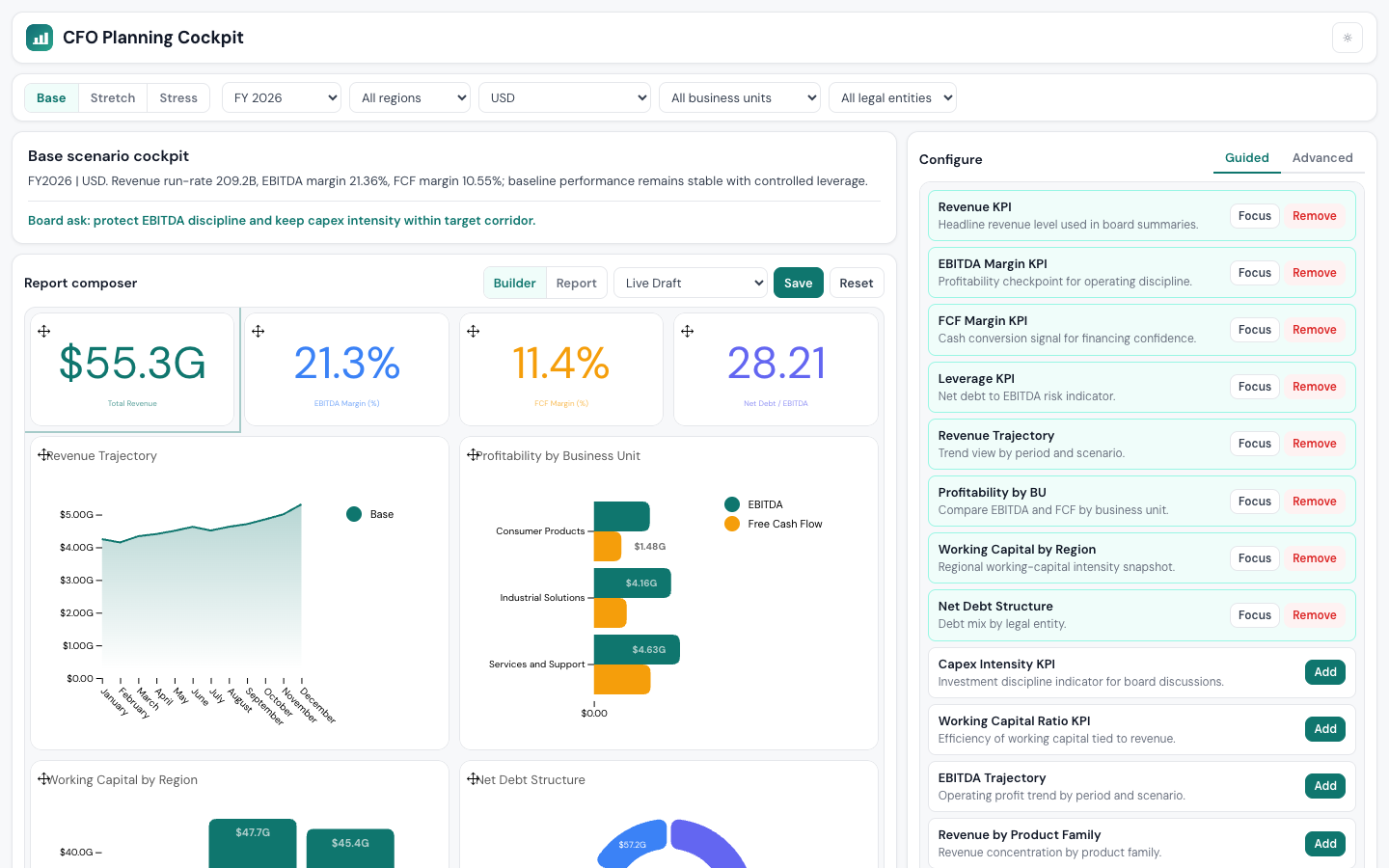
Scenario-driven financial planning dashboard with composable report builder, featuring scenario switching, global filters, and a guided/advanced report composer built on Luzmo ACK and Angular.
Created by Luzmo.
Angular
ACK
Dashboard
Scenario planning
CFO Planning Cockpit
Scenario-driven financial planning experience built on Luzmo ACK and Angular 17.
Features
- Scenario switching — Base, Stretch, and Stress planning cases with context-aware board narrative
- Global filters — period, region, business unit, legal entity, and currency
- Report composer — 48-column grid with drag-and-drop repositioning and per-tile resize
- Guided mode — add/remove pre-configured KPI modules from a report library
- Advanced mode — configure data slots, switch chart types, edit styling
- Version control — save/restore named layout snapshots
- Light and dark themes
Getting Started
Clone and install:
git clone https://github.com/luzmo-official/flex-showcases.git
cd flex-showcases/cfo-cockpit
npm install
Set your Luzmo embed credentials. Add a script tag in
src/index.htmlbefore</head>:<script> window.__LUZMO_AUTH_KEY__ = 'your-embed-key'; window.__LUZMO_AUTH_TOKEN__ = 'your-embed-token'; </script>Start the dev server:
npm startOpen http://localhost:3001.
Build
npm run build
Good decisions start with actionable insights.
Take your data products to the next level with Luzmo.